

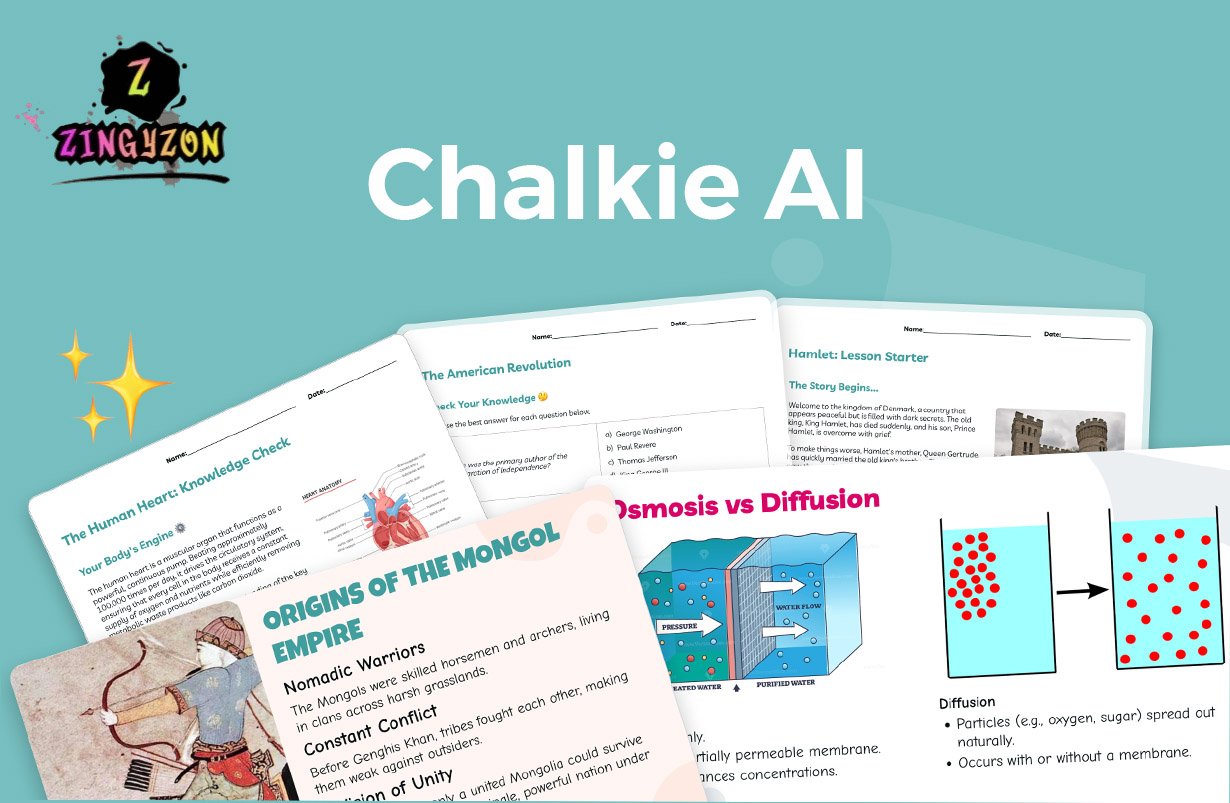
Artificial intelligence is changing how teachers prepare lessons, organize classroom activities, and manage educational content. One platform gaining attention in schools is Chalkie AI. The tool is designed to help educators create lesson plans, worksheets, presentations, and assessments faster while keeping learning goals organized and structured.
Unlike general AI writing tools, Chalkie AI focuses specifically on education. Teachers can generate classroom-ready resources within minutes and customize them based on grade level, subject, and student needs. Schools also use the platform to improve lesson consistency and reduce teacher workload.
What Is Chalkie AI?
Chalkie AI is an AI-powered educational platform built for teachers, schools, and curriculum planners. It helps educators create lessons, quizzes, worksheets, and slide presentations from simple prompts. The platform focuses on saving preparation time while helping teachers deliver organized and engaging classroom content.
The platform is mainly designed for K–12 educators, homeschool teachers, tutors, and school departments. Teachers can either create materials from scratch or upload existing resources for the AI to convert into modern lesson formats.
AI Lesson Planning
One of the main features of Chalkie AI is lesson generation. Teachers can enter a topic such as fractions, climate change, or world history, and the platform creates a complete lesson with activities, vocabulary, and discussion points.
This feature helps reduce the time teachers spend researching and formatting materials. Instead of building every lesson manually, educators can use AI-generated drafts and customize them for their classroom goals.
Curriculum Alignment
Schools often require lessons to follow official curriculum standards. Chalkie AI includes curriculum alignment tools that help teachers match lessons with educational frameworks like Common Core and NGSS.
The system automatically includes learning objectives and standards within generated content. This makes lesson planning easier for teachers while helping schools maintain consistency across classrooms and grade levels.
Unit Planning
Chalkie AI is not limited to individual lessons. Teachers can also create full unit plans and lesson sequences for weekly or monthly teaching schedules.
The platform organizes topics into structured teaching paths with activities, assessments, and classroom tasks. This feature is especially useful for teachers handling multiple subjects or large course loads.
Worksheet Creation
Creating worksheets manually can take a significant amount of time. Chalkie AI helps teachers generate classroom activities quickly, including multiple-choice quizzes, homework sheets, vocabulary exercises, and comprehension tasks.
Teachers can also edit generated worksheets to match different learning abilities. This flexibility helps educators adapt lessons for both advanced students and struggling learners.
Editable Presentations
Visual learning plays an important role in modern classrooms. Chalkie AI creates slide-based presentations that include key concepts, images, vocabulary, and interactive learning prompts.
Teachers can fully edit these presentations by changing text, adding examples, or adjusting lesson complexity. This allows educators to personalize content without creating presentations from the beginning.
Support for Different Learners
Classrooms often include students with different learning styles and academic levels. Chalkie AI allows teachers to modify lessons for younger learners, advanced students, ESL learners, and special education classrooms.
The platform helps simplify lesson differentiation by adjusting reading difficulty, activities, and explanations. Teachers can save time while still creating inclusive learning experiences.
File Upload Features
Many teachers already have existing teaching materials they want to reuse. Chalkie AI allows users to upload documents, lesson plans, PDFs, or website links.
The AI can then convert these resources into structured presentations, activities, or classroom lessons. This helps educators modernize older teaching materials without rebuilding everything manually.
Export Options
Teachers and schools use different classroom tools and presentation software. Chalkie AI supports exporting lessons to PowerPoint, PDF, and Google Slides formats.
This flexibility allows educators to continue using familiar classroom systems while still benefiting from AI-generated lesson planning and educational resources.
Multi-Language Support
Chalkie AI supports multiple languages, making the platform useful for international schools and multilingual classrooms. Teachers can create lessons for students from different language backgrounds without translating every resource manually.
This feature is especially valuable for ESL classrooms and schools serving diverse student communities.
Features for Schools
Many educational AI tools focus only on individual teachers, but Chalkie AI also includes features for schools and departments. Administrators can improve lesson consistency and organize curriculum planning across teams.
Schools can create shared teaching structures while allowing teachers to customize content for their own classrooms. This balance helps improve organization without limiting creativity.
Time Saving Benefits
One reason teachers use Chalkie AI is the amount of time it can save during lesson preparation. Planning lessons, creating worksheets, and building presentations often require several hours each week.
By automating repetitive tasks, it allows educators to focus more on teaching, student engagement, and classroom interaction rather than formatting materials.
Classroom Engagement
Interactive lessons often improve student participation and focus. Chalkie AI includes visuals, structured slides, and classroom activities that help create more engaging learning experiences.
Teachers can also customize lessons by adding examples, videos, and discussions that match student interests. This helps make classroom instruction more dynamic and organized.
Teacher Oversight Still Matters
Although Chalkie AI helps automate lesson planning, teachers still play the most important role in education. AI-generated lessons may occasionally need corrections, adjustments, or classroom-specific examples.
Educators should review lesson content before using it in class. Teacher experience, creativity, and personal interaction remain essential parts of successful learning environments.
Pros of Chalkie AI
Chalkie AI offers several advantages for teachers and schools. The platform saves time, supports curriculum alignment, creates editable presentations, and simplifies worksheet generation.
Teachers also benefit from flexible customization tools and multi-language support. Schools can improve lesson organization while reducing repetitive planning tasks for educators.
Also Read: What Is Droven.io? Beginner’s Guide to AI and Cloud Trends
Possible Limitations
Like most AI tools, Chalkie AI also has limitations. Some generated lessons may require editing, fact-checking, or additional personalization before classroom use.
The platform also depends on internet access and may include advanced features within premium plans. Teachers still need to review content carefully to ensure lesson quality and accuracy.
Is Chalkie AI Worth Using?
For many educators, this tool can become a practical classroom assistant. Teachers handling large workloads or multiple subjects may especially benefit from faster lesson preparation and organized teaching materials.
The platform works best when combined with teacher creativity and classroom experience. Instead of replacing educators, it helps simplify repetitive planning tasks and improve efficiency.
Final Thoughts
Chalkie AI is becoming one of the recognized AI-powered tools in modern education. The platform offers lesson planning, worksheet creation, curriculum alignment, editable presentations, and school-focused planning tools in one system.
Its biggest advantage is helping teachers save time while creating structured classroom resources. As schools continue exploring educational technology, platforms like this may become a regular part of lesson preparation and classroom organization.
FAQ
Is Chalkie AI free to use?
Chalkie AI offers free access with limited features, while premium plans unlock advanced lesson planning and classroom tools.
Can Chalkie AI replace teachers?
No. Chalkie AI works best as a classroom assistant that helps teachers save time and organize lessons more efficiently.
Does Chalkie AI support Google Slides?
Yes. Teachers can export presentations and lessons into Google Slides, PDF, and PowerPoint formats.
Is Chalkie AI good for schools?
Yes. Schools can use Chalkie AI to improve curriculum planning, lesson consistency, and teacher collaboration.
