

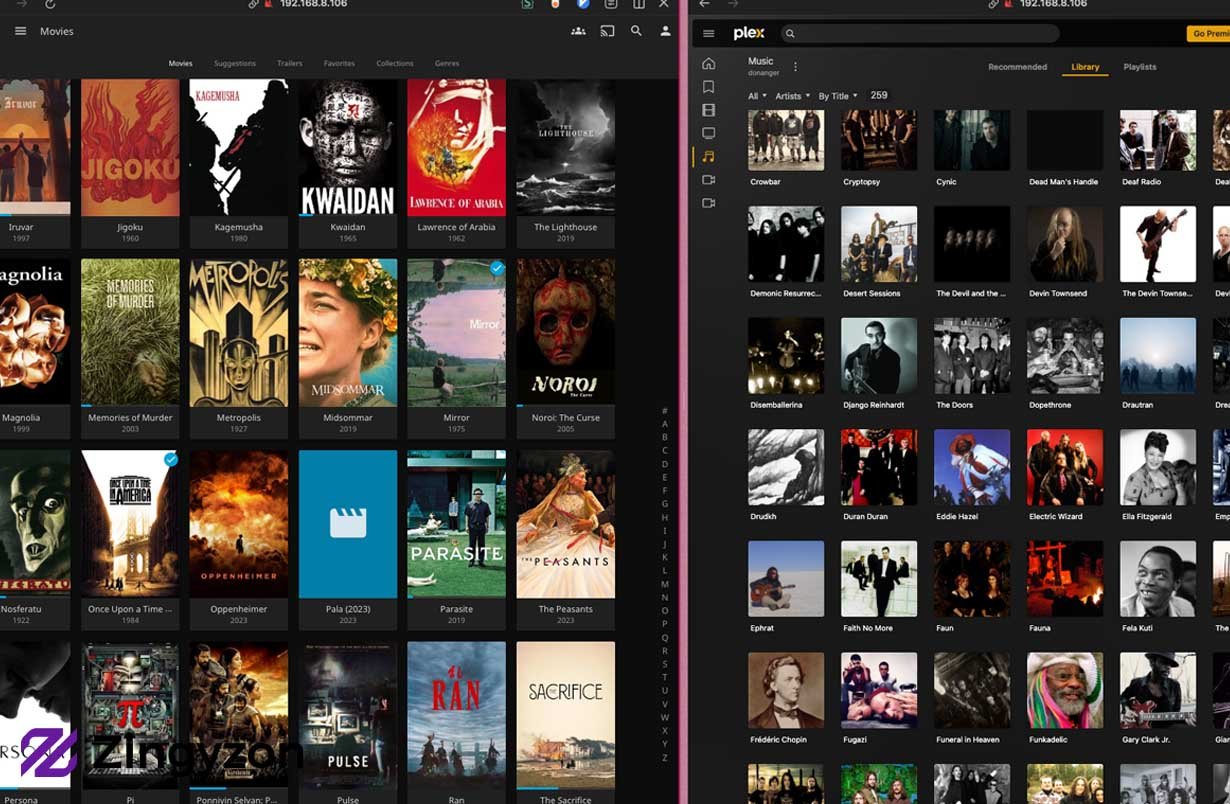
Watching movies and TV shows from anywhere has become easier with Plex Media Server. Many people now choose Plex Hosting because it offers better speed, higher uptime, and fewer hardware problems than running a server at home. Whether you have a small movie collection or a large media library, the right hosting solution can improve streaming quality, remote access, and overall performance. This guide explains everything you need to know in simple English so you can choose the best option with confidence.
What Is Plex Hosting and How Does It Work?
Plex Hosting is a service that runs your Plex Media Server on a remote server instead of your personal computer. The server stores your media files or connects to your storage and streams videos, music, and photos to your devices over the internet. This means your content is available even when your home computer is turned off.
A hosting provider manages the server hardware, internet connection, and system uptime. You only need to install Plex Media Server, upload or connect your media library, and sign in with your Plex account. Once everything is ready, you can stream your content on smartphones, smart TVs, computers, tablets, and gaming consoles.
Many hosting companies also allow users to install extra software, automate downloads, and manage files through a web control panel. These features make remote media management much easier than using a home computer.
Who Should Use Plex Hosting Instead of Running Plex at Home?
Not everyone needs a remote server, but it is a smart choice for many users. If your internet connection has slow upload speeds or your computer cannot stay online all day, a hosted server can solve these problems.
People with large movie collections often need more storage and better processing power. A remote server can handle multiple users watching videos at the same time without slowing down. This is especially useful for families or friends who share one media library.
Content creators, travelers, and people who work away from home also benefit from remote access. Since the server stays online 24/7, your media remains available from almost anywhere with an internet connection.
Which Types of Plex Hosting Are Available?
There is no single hosting solution that fits every user. Each option offers different levels of performance, storage, and control.
Dedicated Server
A dedicated server gives you the entire physical machine. All CPU power, memory, and storage belong to your account. This option is best for very large media libraries, multiple 4K streams, and users who need maximum performance.
Dedicated servers usually cost more, but they offer excellent reliability and complete control over system settings.
Virtual Private Server (VPS)
A VPS divides one physical server into several virtual machines. Each customer receives dedicated resources while sharing the hardware with others.
This option is more affordable than a dedicated server and works well for small or medium-sized libraries. However, heavy video transcoding may require more powerful hardware.
Cloud Server
Cloud hosting allows your server to run on cloud infrastructure instead of one physical machine. Resources can often be increased when needed.
Cloud servers provide flexibility and high availability. If your media library grows, you can upgrade storage or processing power without moving everything to a new server.
Seedbox with Plex Support
Many users choose a seedbox because it combines downloading, file management, and media streaming in one place. Files can be downloaded directly to the server before being added to the Plex library.
This option is popular among users who regularly manage large media collections while keeping everything on a remote server.
Home NAS with Remote Access
A Network Attached Storage (NAS) device is still a form of self-hosting, but many people compare it with hosted services. A NAS stores media files and runs Plex Media Server from your home network.
Although this option gives full ownership, it depends on your home internet speed, electricity, and hardware quality.
What Features Should You Look for in Plex Hosting?
Choosing the right provider is about more than price. Several important features affect streaming quality and daily use.
Fast Processor
The processor is one of the most important parts of any media server. A strong CPU helps with video transcoding when different devices require different video formats or resolutions.
If several people stream videos at once, a powerful processor prevents buffering and keeps playback smooth.
Hardware Transcoding Support
Some servers include GPU acceleration, allowing video transcoding to happen much faster than with the CPU alone. This feature is especially useful for 4K content and multiple simultaneous streams.
Users with a Plex Pass subscription can unlock hardware-accelerated transcoding, reducing processor usage while improving streaming performance.
SSD or NVMe Storage
Modern SSD and NVMe drives load files much faster than traditional hard drives. Faster storage improves library scanning, metadata loading, and overall system responsiveness.
Large media collections may still use traditional HDDs because they provide more storage at a lower cost. Many advanced setups combine SSDs for the operating system with HDDs for media storage.
Enough RAM
Memory helps the server manage background tasks, metadata, and active users. Small libraries may run well with 4 GB RAM, while larger collections often perform better with 8 GB or more.
Extra memory also improves multitasking when additional applications run beside Plex Media Server.
High-Speed Network Connection
Streaming depends heavily on internet speed. A server connected through a 1 Gbps or faster network provides smoother playback for remote users.
Good bandwidth is important when several people watch different videos at the same time. Faster connections also reduce buffering during high-quality streaming.
Large Storage Capacity
Movies and TV shows require significant storage space. High-definition videos can use several gigabytes each, while 4K movies may require tens of gigabytes.
Choose a provider that allows easy storage upgrades as your library grows. Flexible storage plans prevent the need to move your entire collection later.
Easy Management Panel
A simple control panel saves time. Good hosting providers offer browser-based management, automatic updates, backup tools, file managers, and monitoring features.
These tools help both beginners and experienced users maintain their servers without needing advanced Linux knowledge.
Strong Security
Security is often overlooked but remains very important. Reliable providers use firewalls, encrypted connections, secure login methods, and regular software updates.
Protecting your server reduces the risk of unauthorized access and keeps your media library safe.
Read More: techwisdom.co.uk
In Short
Choosing the right Plex Hosting solution depends on your media library, budget, and streaming needs. A reliable server can deliver better performance, faster streaming, and 24/7 availability compared to many home setups. It also makes it easier to share your media with family and friends while reducing the limits of home internet connections.
Before selecting a provider, compare the CPU performance, storage capacity, network speed, security, and upgrade options. Avoid choosing a service based only on price. A well-planned hosting solution will give you a smoother streaming experience and enough room to grow your library in the future. By understanding the features, benefits, and common mistakes explained in this guide, you can confidently choose a solution that fits your needs and enjoy your media without unnecessary interruptions.
FAQs
What is Plex Hosting?
Plex Hosting is a service that runs your Plex Media Server on a remote server, allowing you to stream your media library from almost anywhere with an internet connection.
Is Plex Hosting better than hosting Plex at home?
It depends on your needs. Remote hosting offers 24/7 uptime, better bandwidth, and stronger hardware, while home hosting gives you complete control over your equipment.
Do I need Plex Pass for Plex Hosting?
No. You can use Plex without Plex Pass, but the subscription unlocks advanced features such as hardware-accelerated transcoding, offline downloads, and extra media management tools.
How much storage do I need for Plex Hosting?
The required storage depends on your media collection. Small libraries may only need a few hundred gigabytes, while large 4K collections can require several terabytes.
What should I look for in a Plex Hosting provider?
Choose a provider that offers a powerful CPU, SSD or NVMe storage, fast network speeds, reliable uptime, strong security, and easy upgrade options.
